
Checklist: Building AI-Driven Knowledge Bases
Struggling to make your team more efficient? AI-powered knowledge bases can save hours every week by turning scattered information into a searchable, interactive tool. Here's how you can build one:
- Set goals: Focus on reducing repetitive tasks or improving access to information.
- Organize knowledge: Audit existing materials, remove outdated content, and structure information clearly.
- Use AI-ready tools: Upload content to platforms like UnSoloMind for seamless integration.
- Test and improve: Regularly review AI responses, track usage patterns, and update content.
AI-driven systems can resolve up to 30% of inquiries automatically, saving time and boosting productivity. Plans like UnSoloMind start at just $9/month, making this shift accessible for teams of all sizes.
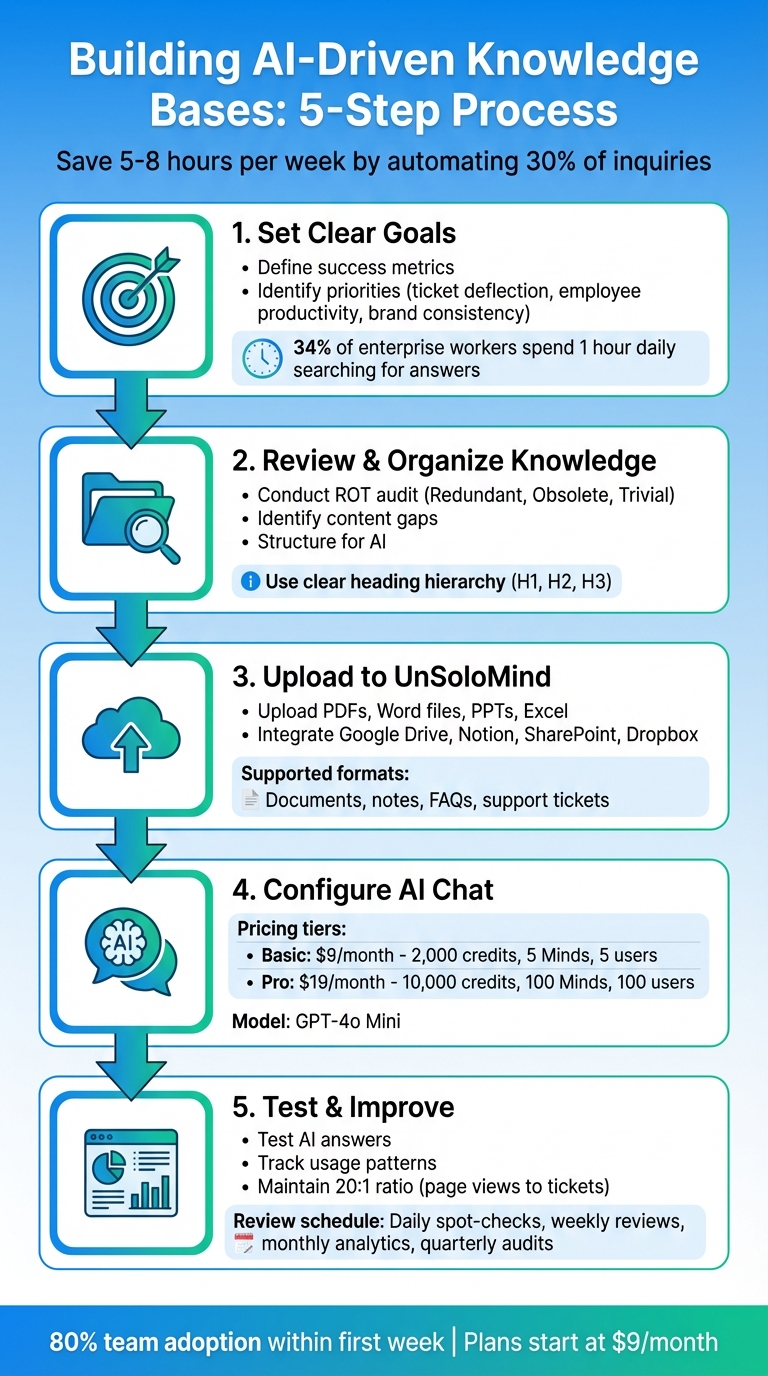
5-Step Process to Build an AI-Driven Knowledge Base
How To Build an AI Knowledge Base for Your Business (w/ No Code)
sbb-itb-a0a3b44
Step 1: Set Clear Goals and Check Your Readiness
Before uploading any documents, take a moment to define what success looks like for your knowledge base. Are you trying to reduce repetitive support tickets, speed up how quickly employees find answers, or make sure every department is working from the same verified information? These goals will influence how you structure your system and measure its effectiveness. For instance, using AI agents linked to support pages can handle at least 30% of queries without requiring human intervention. This not only saves costs but also improves response times. Start by clearly outlining your objectives and assessing your available resources to ensure a smooth setup.
Identify Your Main Goals
One common goal is ticket deflection, which means cutting down the number of repetitive inquiries by enabling self-service. This allows customers and employees to find answers on their own instead of creating support tickets. Another focus might be employee productivity - helping staff avoid wasting time searching for scattered information so they can concentrate on more complex tasks. Lastly, brand consistency ensures every department uses the same verified information, creating a unified tone across all communication channels.
Stick to one or two priorities. For example, if your support team is drowning in repetitive tickets, focus on deflection. On the other hand, if your team is like the 34% of enterprise knowledge workers who spend an hour daily searching for answers, improving productivity should take center stage.
Review Your Current Resources
To build and maintain a strong knowledge base, you’ll need subject matter experts (SMEs) who can act as editors, reviewing and approving AI-generated content. Also, plan for regular updates - 78% of contact center leaders say keeping knowledge bases current is a difficult and time-consuming task. Scheduling monthly or quarterly audits will help you retire outdated articles and address gaps as products or policies change.
Start by reviewing your existing resources, like documents, FAQs, notes, and support tickets. Ensure these materials are text-based and machine-readable. For example, scanned PDFs or image files without descriptive text can’t be processed. When you’re ready to test the system, choose a high-traffic channel, such as a single Slack workspace or a product FAQ, to validate its effectiveness. These steps will lay the groundwork for creating an efficient, AI-powered knowledge base.
Step 2: Review and Organize Your Existing Knowledge
Once you've set your goals, it's time to gather and streamline your materials. Many teams scatter their knowledge across different platforms, which can make things messy. The solution? Bring everything together into one centralized hub. This creates a solid starting point for a detailed review and ensures your AI has a single, dependable source to work from.
Review Your Content
Start with a ROT audit - this means identifying and removing content that's redundant, obsolete, or trivial. This step is crucial to prevent your AI from picking up outdated or incorrect information. For example, if your product pricing changed in January 2025 but old PDFs still list 2024 rates, your AI might end up sharing the wrong details with customers.
As Abdul Rahman from Atomicwork puts it: "When your documentation is vague, outdated, or disorganized, AI systems fail to retrieve accurate answers."
Next, look for gaps in your knowledge base. You can do this by analyzing support tickets and spotting patterns in frequently asked questions. If your team constantly answers the same query - like how to reset a password - but there's no article addressing it, that's a clear gap to fill. Also, make sure to separate internal data from public FAQs and set up strict access controls to protect sensitive information.
Structure Content for AI
AI doesn’t read documents the way humans do - it pulls out specific excerpts. That means every paragraph needs to stand on its own. Avoid relying on transition words or phrases that lose meaning when taken out of context. Each paragraph should be a clear, self-contained statement.
To help the AI navigate your content, use a clear heading hierarchy: H1 for titles, H2 for sections, and H3 for subsections. Stick to direct, question-based headings like “How to reset a password?” to make it easier for the AI to locate and understand information. Break up long documents into smaller sections, each focused on one specific idea. For FAQs, skip the one-word answers - always provide full-sentence responses with enough detail for the AI to generate accurate replies.
| Feature | Traditional Knowledge Base | AI-Ready Knowledge Base |
|---|---|---|
| Search Method | Keyword-based (exact matches) | Semantic search (focused on intent) |
| Headings | Often creative or vague | Direct questions or clear statements |
| Paragraphs | Long blocks with multiple ideas | Short, focused chunks with one idea |
| FAQs | Often a separate, isolated page | Integrated into relevant articles |
Step 3: Upload and Structure Knowledge in UnSoloMind
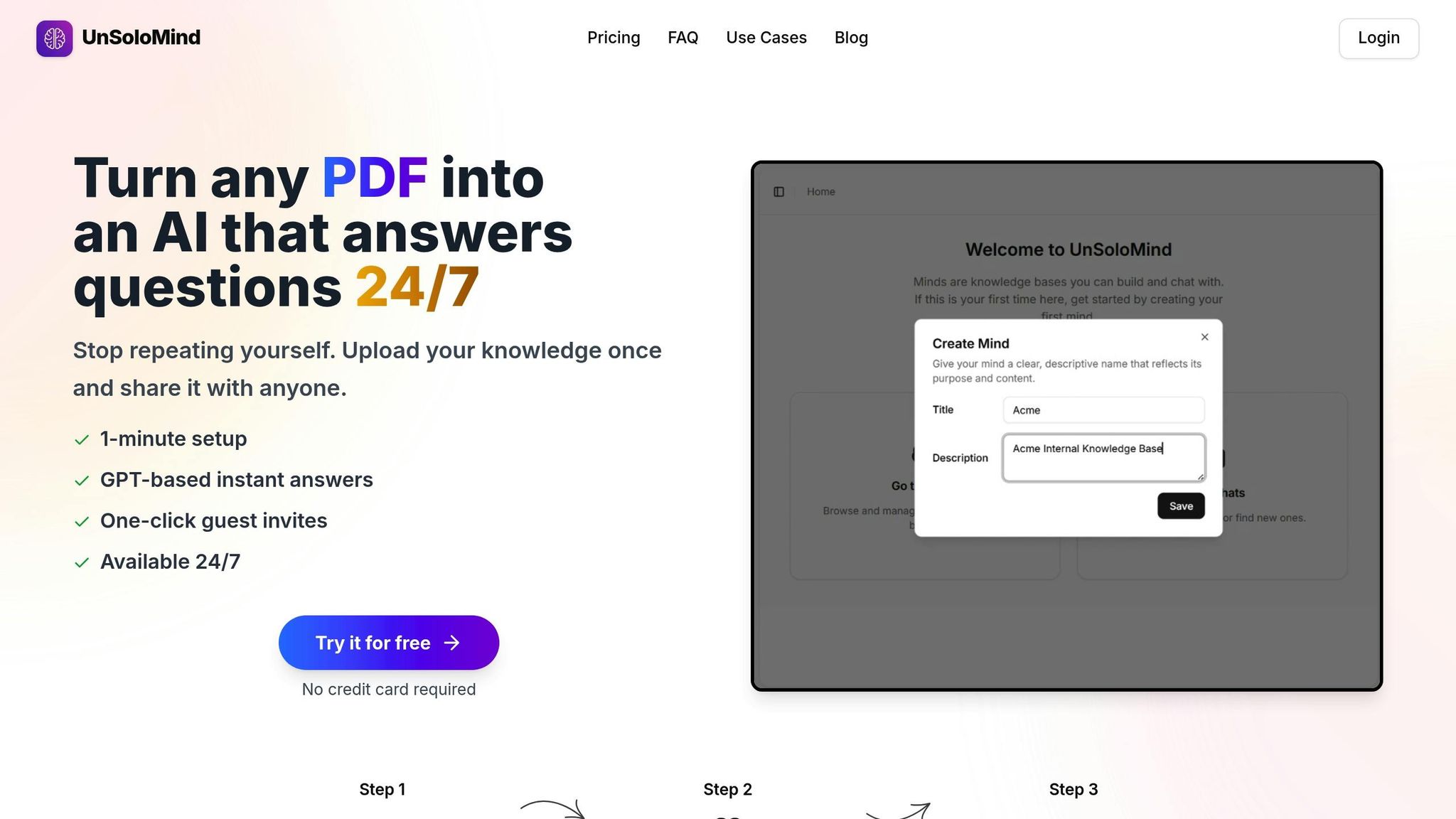
After tidying up your content in Step 2, it's time to move everything into UnSoloMind. This step involves creating a centralized, AI-ready knowledge base by uploading your organized materials. UnSoloMind supports popular file formats and integrates with various cloud platforms, making the process smooth and efficient.
Upload Documents, Notes, and FAQs
Start by uploading essential documents like PDFs, Word files, PowerPoint presentations, and Excel sheets. You can also pull content directly from platforms like Google Drive, Notion, SharePoint, or Dropbox. Focus on core resources such as:
- Product manuals, white papers, and case studies
- Standard operating procedures (SOPs) and instructional guides
- Internal documents like company policies, onboarding materials, and training resources
Don't forget to include support-related content like customer tickets, support emails, Slack threads, and recorded discussions. If you have multimedia resources (images or videos), convert documents to text-based PDFs and include URLs for relevant multimedia to maintain context. A thorough upload ensures the AI has a complete picture of your team's knowledge and can address common customer questions effectively. This centralization is critical for enabling quick, accurate AI responses and fostering team efficiency.
Organize Content Using the Editor
Once you've uploaded your files, use UnSoloMind's editor to organize everything. Tag content consistently based on product, feature, user role, or document type. Establish a clear heading structure with H1 for titles, H2 for sections, and H3 for subsections. Break down lengthy documents into smaller, focused paragraphs. This approach helps the AI retrieve precise snippets instead of referencing entire documents.
Avoid duplicating topics in your content, as conflicting information can lead to inaccurate AI responses.
As Abdul Rahman from Atomicwork states: "The organizations seeing real value from AI assistants aren't the ones with the most advanced technology. They're the ones who took time to structure their knowledge correctly from the start."
With your content properly uploaded and organized, you're all set to move on to configuring AI chat in the next step.
Step 4: Configure AI Chat
Once your knowledge base is uploaded and organized, it's time to bring it to life by setting up UnSoloMind's AI chat. This step transforms your static documents into an interactive assistant that delivers instant, 24/7 support.
Set Up AI Chat Settings
UnSoloMind relies on the GPT-4o Mini model to process your knowledge and generate responses, available across all subscription tiers. You can create a dedicated "Mind" for specific documents and invite collaborators to contribute - only the creator of the Mind needs an active subscription.
Here’s how the credit system works:
- Standard responses cost 5 credits each.
- Reasoning responses cost 20 credits each.
The subscription plans are designed to fit different needs:
- Basic Plan ($9/month): Includes 2,000 credits, supports up to 5 Minds, and allows 5 users per Mind.
- Pro Plan ($19/month): Offers 10,000 credits, supports up to 100 Minds, and allows 100 users per Mind.
The AI chat also handles duplicate questions effortlessly, potentially saving teams 5 to 8 hours per week by resolving repetitive queries automatically.
Once your chat settings are in place, focus on keeping the AI accurate and up-to-date.
Enable Automatic Updates
To ensure your AI stays relevant, regularly add new insights using the editor. Update FAQs and knowledge items manually when procedures change or new questions arise. Sync web-based content to prevent outdated information from creeping in.
It's also a good idea to review your content periodically. Eliminating duplicates and resolving conflicts will help the AI deliver precise and reliable answers.
Step 5: Test, Track, and Improve Over Time
Keeping AI answers accurate and ensuring content stays up-to-date requires consistent testing, tracking, and refinement.
Test AI Answers
Start by testing common questions using different phrasing to see how well the AI handles variations. Pay attention to response confidence scores and gather direct user feedback through feedback icons. For a deeper dive, involve a small group of knowledge champions to test both routine queries and tricky edge-case scenarios. Including challenging edge cases in your testing process helps refine the knowledge base over time. These insights can also reveal patterns in how users interact with the system.
Track Usage Patterns
Analytics are key to understanding how your AI is performing. Focus on identifying which questions are most frequently asked and where the AI struggles to provide answers. UnSoloMind's analytics categorize interactions into three groups: Helpful (upvoted), Unhelpful (downvoted), and No Answer Found. That third category acts as a direct to-do list for creating new or updated documentation.
Another critical metric is ticket deflection. Compare knowledge base usage against your support ticket volume. Experts suggest aiming for a 20:1 ratio of knowledge base page views to support tickets.
Create a Regular Review Schedule
Use the data you track to set up a consistent review schedule. This can include:
- Daily spot-checks: Quickly catch and fix errors in AI responses.
- Weekly reviews: Focus on high-traffic content, especially after product updates.
- Monthly analytics reviews: Pinpoint content gaps and areas where helpfulness is declining.
- Quarterly audits: Conduct a thorough review to ensure technical accuracy and address outdated topics.
Flag content that hasn’t been updated in 6 to 12 months for immediate review. As Stack Overflow emphasizes:
"The moment your team stops trusting your knowledge base is the moment it becomes redundant."
Finally, back up your knowledge base regularly in formats like .tsv or .xls before making significant updates. This ensures you always have a fallback version if needed.
Conclusion
An AI-driven knowledge base can completely change how your team accesses and uses information. By setting clear objectives, organizing your content, uploading it to UnSoloMind, configuring AI chat, and staying committed to regular testing and tracking, you can create a 24/7 self-service hub that's always ready to assist. This process transforms messy files and scattered messages into a streamlined, always-available support system.
Teams using UnSoloMind often reclaim 5–8 hours each week by automating repetitive questions. And adoption is quick - about 80% of team members start using the system within the first week. Patryk, the founder of UnSoloMind, explains the motivation behind the platform:
"I built UnSoloMind because I was tired of being the go-to person for every question, even after writing it all down... UnSoloMind fixes the problem of unread docs and lost Teams messages."
The benefits go beyond saving time. It allows teams to shift their focus from answering repetitive questions to tackling strategic tasks. Instead of searching through Slack threads or emails, let AI handle the routine while you concentrate on refining processes. With plans starting at just $9/month for the Basic tier (2,000 credits, up to 5 Minds, and 5 users per Mind), getting started is both affordable and simple. Begin small, test thoroughly, and use the insights you gather to improve. Over time, your knowledge base will grow smarter and even more effective as your team engages with it.
FAQs
How do AI-driven knowledge bases boost team productivity?
AI-powered knowledge bases are transforming how teams access and use information, making it more dynamic and interactive. With natural language processing (NLP) and machine learning, these systems deliver fast and precise answers, cutting down the time employees spend hunting for details and reducing interruptions from switching between tasks.
By bringing scattered data into one centralized, intelligent hub, these tools make onboarding smoother, foster better collaboration, and simplify internal communication. They also tackle repetitive inquiries through instant, self-service responses, allowing teams to dedicate their energy to more challenging work. Plus, these systems continuously learn and update themselves, keeping information current and driving greater efficiency over time.
How do I organize content effectively for an AI-powered knowledge base?
To build an effective AI-powered knowledge base, start by pinpointing the questions or topics your audience searches for the most. Focus on addressing the most relevant and frequently asked questions - this ensures you're meeting their immediate needs.
Organize your content into clear, logical categories that group related topics together. This structure makes it easier for users to navigate and find information quickly. Use simple, well-crafted FAQs, guides, or articles to deliver clear and thorough answers.
Keep in mind that a knowledge base should be a living resource. Regularly update and refine the content to ensure it stays accurate and helpful. This way, you create a user-friendly tool that not only simplifies information retrieval but also improves overall efficiency.
How can I keep AI-generated responses accurate and up-to-date?
Regularly updating and monitoring your knowledge base is essential to keep AI-generated responses accurate. This process involves reviewing content to ensure it aligns with the most current information, removing outdated or irrelevant entries, and revising materials as your organization grows or changes.
To further enhance accuracy, consider syncing your knowledge base with live data sources, setting up scheduled updates, and validating AI responses to confirm their relevance. A consistently maintained and well-organized repository is crucial for providing precise, dependable answers over time.