
Best AI Tools for Knowledge Recommendations
Tired of wasting hours hunting for information at work? Knowledge workers lose an average of 8.2 hours weekly to "information chaos", but AI tools are changing the game. By using advanced Natural Language Processing (NLP) and Machine Learning, these tools help teams find answers faster and work smarter, cutting through disorganized data and poor search systems.
Here are four standout tools to solve this problem:
- UnSoloMind: Converts documents into searchable hubs and provides instant answers via AI chat, starting at $9/month.
- Notion AI: Turns workspaces into searchable knowledge hubs with Q&A features and integrations, priced at $8 per user/month.
- Perplexity: Combines live web data and internal files for real-time, cited answers, with a free tier available.
- Mem: Automatically organizes notes and surfaces related insights, with plans starting at $10/month.
Each tool offers unique features for saving time, improving workflows, and making information retrieval easier. Below, we’ll explore their capabilities, pricing, and best use cases to help you choose the right fit.
1. UnSoloMind
Core Features
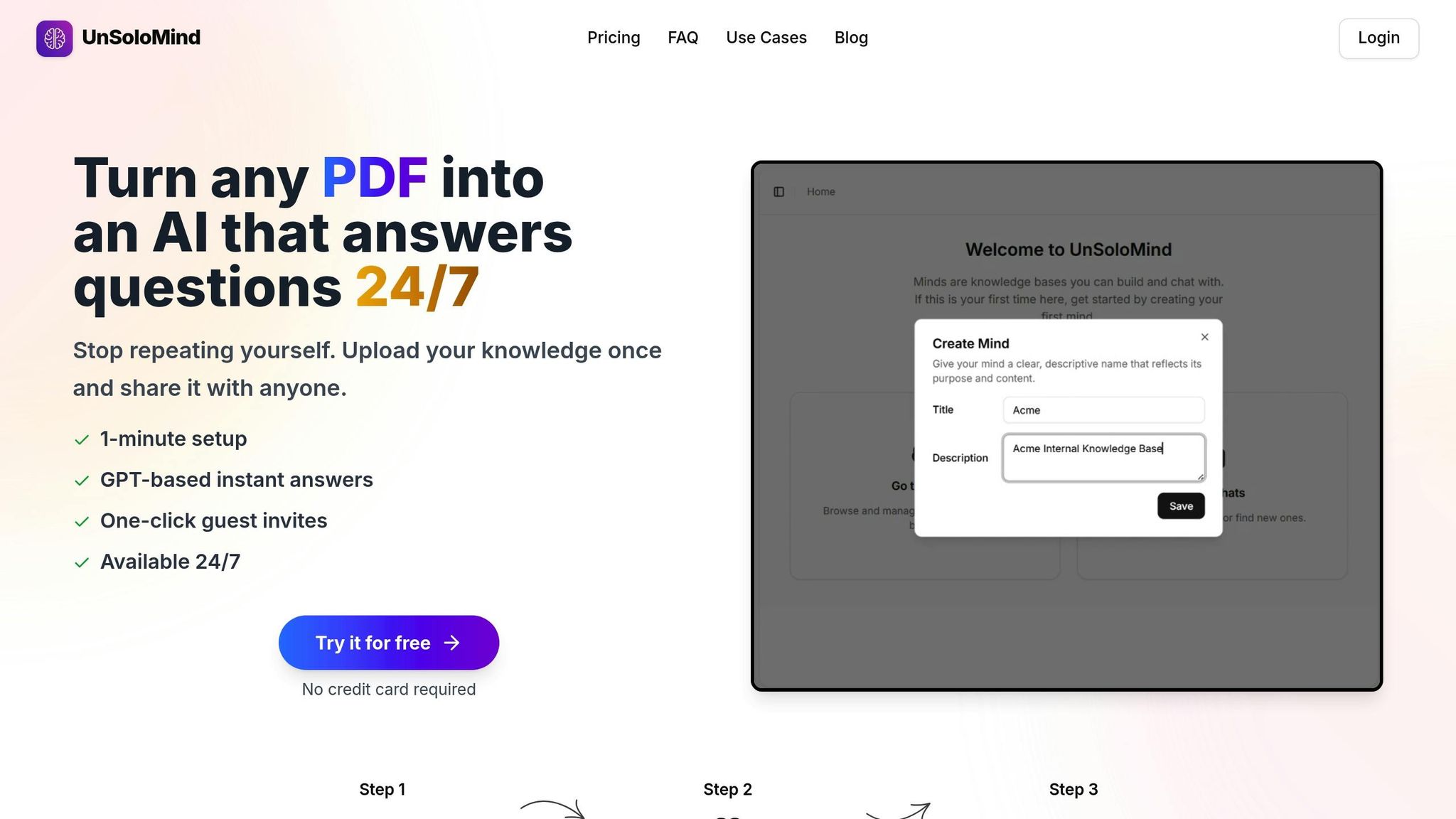
UnSoloMind transforms static documents into an interactive AI assistant. It takes files like PDFs, DOCX, and TXT and converts them into searchable content, organizing them into dedicated knowledge hubs called "Minds". Using a chat-style interface, team members can ask plain-language questions and get instant, clear answers - no need for traditional search bars or constant Slack messages.
The platform includes a built-in knowledge management editor, allowing teams to add content, update procedures, and control access to sensitive documents. It offers two response models: a standard option at 5 credits per query for everyday questions, and a reasoning model at 20 credits for handling more complex technical documentation.
Team Benefits
UnSoloMind can save teams 5–8 hours each week by automating information retrieval. Plus, it resolves 100% of repetitive questions automatically. Adoption rates often reach up to 80% within the first week, and new hires can start contributing in just a few days.
"I built UnSoloMind because I was tired of being the go-to person for every question, even after writing it all down. We needed a way to share knowledge asynchronously - without meetings, pings, or repeating ourselves."
- Patryk, Founder of UnSoloMind
The platform tackles repetitive messages and weekend DMs by providing a 24/7 self-service assistant. It captures "tribal knowledge" that might otherwise get lost and delivers answers up to 10× faster than static wikis or traditional documentation.
Pricing and Plans
| Plan | Price | Credits | Minds | Users per Mind |
|---|---|---|---|---|
| Basic | $9/month | 2,000 | 5 | 5 |
| Pro | $19/month | 10,000 | 100 | 100 |
| Enterprise | $99/month | 50,000 | Unlimited | Unlimited with Priority Support |
Only the account owner needs a subscription - guests can use the chat for free. Since reasoning models cost four times more than standard ones, they're best reserved for complex queries. This pricing structure offers flexibility to suit various team sizes and needs.
Best Use Cases
UnSoloMind is perfect for distributed teams spanning multiple time zones, giving instant access to decisions and context without waiting for live responses. Teams can create separate Minds for different departments, ensuring the AI provides highly relevant, context-specific answers. You can also upload existing PDFs, playbooks, and Slack-based knowledge to quickly build a functional hub without starting from scratch.
Next, we’ll take a closer look at Notion AI to see how it stacks up in supporting knowledge management.
2. Notion AI
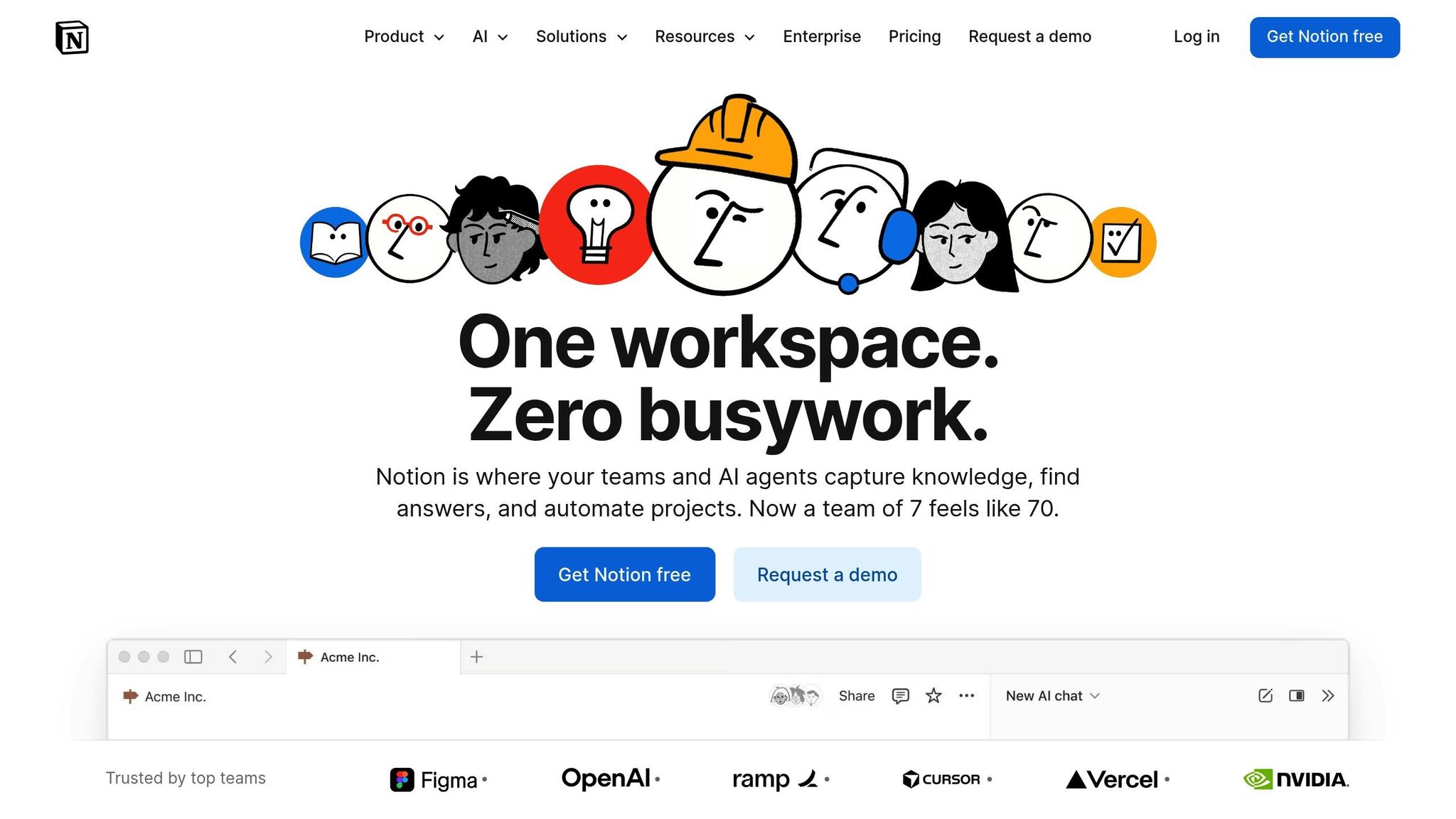
Notion AI stands out as a tool that transforms connected workspaces into a searchable, AI-powered knowledge hub. It simplifies retrieving information across various platforms, making it a go-to solution for teams.
Core Features
With Notion AI, your workspace becomes a centralized search engine. The Q&A feature allows you to ask questions and receive instant answers sourced from your documents, projects, and meeting notes. Each response is accompanied by citations linking back to the original source, ensuring transparency and enabling deeper exploration.
AI Connectors take this further by indexing content from tools like Slack, Google Drive, Jira, GitHub, Microsoft Teams, and SharePoint. This eliminates the need to jump between apps, as you can search your entire tech stack in one place. For complex queries, the Research Mode performs multi-step analyses, pulling insights from both your workspace and the web to create detailed reports. Additionally, the AI Database Autofill feature organizes extracted summaries and key insights into structured databases, streamlining your workflow.
Together, these features make accessing and managing information faster and more efficient for teams.
Team Benefits
The advantages of Notion AI are particularly evident in how it enhances team efficiency.
By drastically reducing the time spent searching for information, Notion AI saves valuable minutes on each query. This adds up to significant productivity gains.
For example, Remote.com, a global HR platform, reported significant results after adopting Notion AI's Q&A feature in 2023. The time required for data retrieval dropped from as much as 10 minutes to just seconds, leading to an estimated $485,000 in annual savings through improved efficiency.
"Notion AI is saving new employees days, if not weeks, of their onboarding to be able to find information quickly and learn from it." - Scott Entwistle, Senior Recruiter at Remote
Notion AI also ensures data security with permissions-based retrieval, so users only access content they are authorized to view.
"It's really powerful when Notion AI surfaces organizational knowledge that I didn't know to look for, because I didn't even know it existed." - Faith Lierheimer, Senior Technical Instructor at dbt Labs
Pricing and Plans
Notion AI is offered as an add-on for $8 per member/month when billed annually. For workspaces on Free or Plus plans opting for monthly billing, the cost is $10 per member/month. Free and Plus plan users can also test the platform with a limited number of complimentary AI responses before committing to a subscription.
Best Use Cases
To maximize the effectiveness of Notion AI, consider these tips:
- Use the "Turn to Wiki" feature to structure your pages into a database with verification properties, ensuring the AI prioritizes accurate and up-to-date information.
- Be specific when asking questions by mentioning relevant pages, individuals, or dates. This helps the AI provide more precise answers.
- Add a "verified" property to your wikis, allowing subject matter experts to review and update content regularly. This prevents the AI from referencing outdated information.
Ranked #1 for Enterprise Search by G2, Notion AI is particularly useful for teams that need to search across multiple connected apps through a single, unified interface.
3. Perplexity
Perplexity stands out in the lineup of AI tools by combining live web data with internal file analysis to create a conversational search experience. This platform is designed to deliver direct, sourced answers quickly, making it an efficient tool for knowledge management and research.
Core Features
Perplexity functions as a real-time answer engine, pulling information from live web data instead of relying solely on static training sets. What sets it apart is its ability to provide inline citations from both internal documents and live web sources, linking directly to news articles, academic papers, or company files. This ensures transparency and credibility in the information provided.
Users can upload files to complement live web searches, organize their queries into project hubs with custom AI instructions, and receive detailed, cited answers automatically. The platform also remembers conversation history through contextual threading, making follow-up questions seamless. For enterprise users, integrations with cloud tools like Google Drive and SharePoint help centralize company knowledge, streamlining workflows.
By merging real-time and internal data retrieval, Perplexity enhances how teams manage and access information.
Team Benefits
Perplexity isn't just about features - it delivers measurable improvements in productivity. Enterprise users report a 90% reduction in research verification time compared to traditional methods, while consultants have saved over 125 hours per week per user through automated research and synthesis.
"Perplexity gives us verified, citable answers in hours instead of weeks, which means our consultants now spend their time where it actually matters: analyzing results, challenging assumptions, and building stronger recommendations."
- Rajneesh Gupta, Global Head of Partnerships
Security is another key focus for Perplexity. The platform is SOC 2 Type II certified and complies with GDPR and HIPAA standards. It also ensures customer data is not used to train AI models. Features like SSO, SCIM, user management, and audit logs provide teams with the tools they need to maintain strict data security.
Pricing and Plans
Perplexity offers three pricing tiers to suit different needs:
- Perplexity Free ($0/month): Access to the core answer engine with real-time search and inline citations.
- Perplexity Pro (monthly subscription): Includes advanced AI models (GPT-4, Claude 3), unlimited file uploads, API credits, and enhanced "Pro Search."
- Perplexity Enterprise Pro/Max: Adds enterprise-grade features like SSO, SCIM, user management, audit logs, and support for up to 10,000 files per repository in the Max tier.
Best Use Cases
To maximize efficiency, teams can create separate Spaces for different departments or projects, ensuring the AI focuses only on relevant documents. For tasks requiring answers exclusively from internal files, the "Writing" focus mode is particularly useful. Perplexity is a strong fit for teams involved in market research, competitive analysis, or regulatory compliance - fields where accurate, verifiable citations are crucial.
sbb-itb-a0a3b44
4. Mem
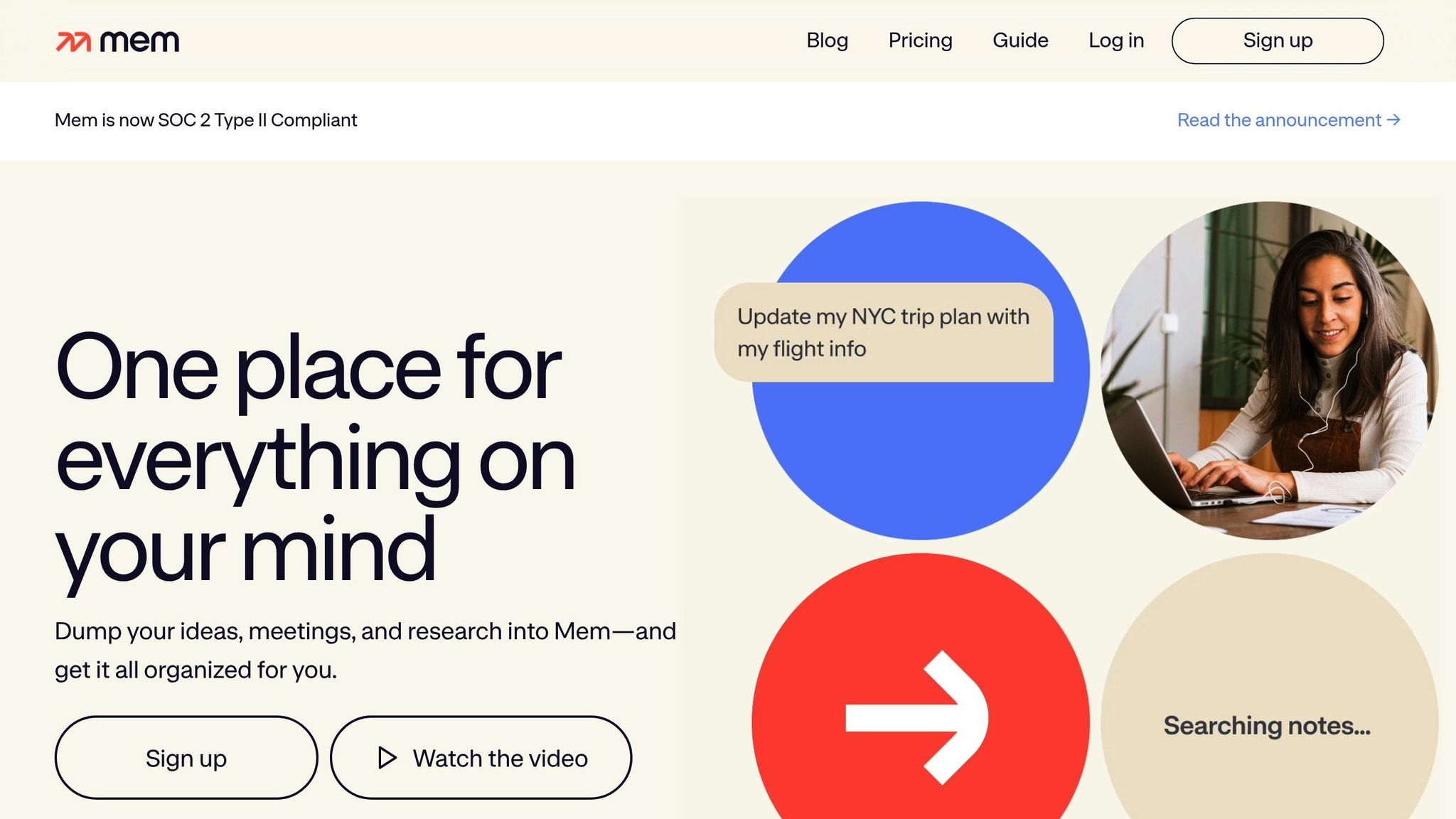
Mem steps into the spotlight as an AI-powered knowledge management tool, positioning itself as an AI Thought Partner. It simplifies the process of organizing and retrieving information, eliminating the need for manual folder sorting or tagging by automatically surfacing related ideas when you need them.
Core Features
Mem's standout features are designed to make your work seamless:
- Heads Up: Displays relevant notes and collections right alongside your current work, ensuring past insights or decisions are readily accessible.
- Related Notes: Automatically identifies and surfaces content with similar themes, helping you discover connections you might have missed.
- Mem Chat: A conversational interface for quick interactions.
- Smart Search: Uses natural language processing to retrieve information with precision.
- Voice Mode: Transcribes meeting audio into structured, searchable notes.
- Collections: Automatically organizes content based on context, saving you from manual categorization.
Team Benefits
Mem isn't just for individuals - it’s a game-changer for teams. Consider this: employees typically spend 19% of their workweek searching for information, and 83% admit to duplicating work because they can’t locate original files. Mem tackles this by reducing retrieval time by 66% through its AI-powered search. Additionally, automated Collections can save up to 40% of the time usually spent organizing files manually.
The Related Notes feature plays a significant role in improving decision-making, with 78% of teams reporting better outcomes. Shared Collections ensure that once information is added, it becomes a resource for the entire organization, breaking down silos. This also helps new team members quickly access policies, contacts, and project histories in one centralized hub.
"I no longer worry about how I organize or segment notes into different apps - I toss it in Mem and know it will be there when I need it." - Zach Price, Founder, Impulse to Impact
Pricing and Plans
Mem offers flexible pricing to suit different needs:
- Free Tier: Provides access to basic features.
- Mem Pro: Priced at around $10/month, includes advanced AI tools and Dark Mode.
- Mem Teams: Tailored for organizations, offering unified billing and shared access. Pricing is available upon request.
Mem has also earned a 4.5/5 rating on Gartner in the knowledge management category.
Best Use Cases
Mem shines in areas like meeting management and project documentation. It also enables teams to unify knowledge using standardized hashtags (e.g., #Marketing, #Q4-Roadmap). For researchers, the Chrome Extension makes capturing online information effortless.
These features make Mem a strong contender for teams and individuals looking to streamline their workflows and maximize productivity.
Pros and Cons
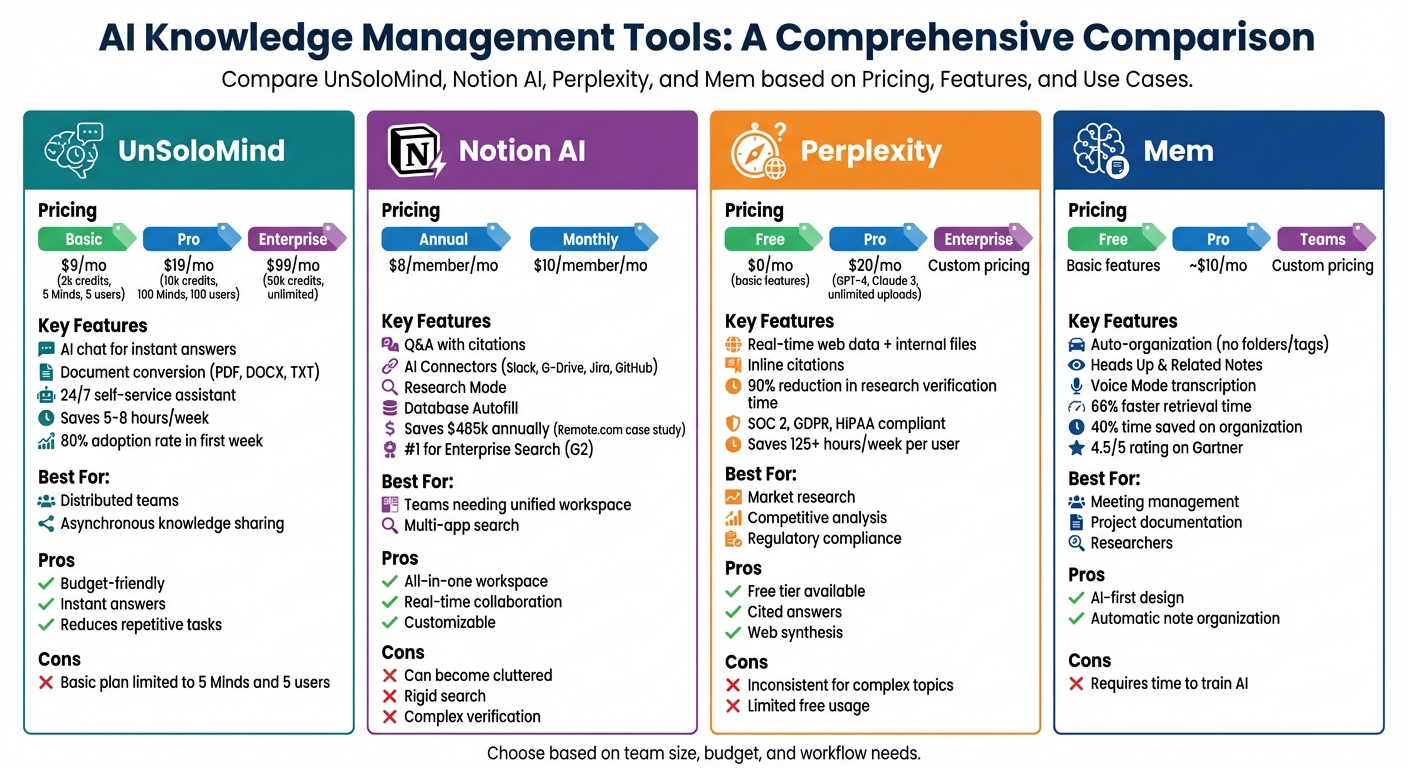
AI Knowledge Management Tools Comparison: Features, Pricing, and Best Use Cases
When evaluating these tools, it's helpful to weigh their strengths against their limitations. This comparison offers a clear snapshot of each tool's capabilities, helping you decide which one aligns best with your team's goals.
UnSoloMind shines in asynchronous knowledge sharing, with its AI chat providing instant answers from documents, notes, and FAQs. Starting at just $9/month for the Basic plan, it’s a cost-effective choice for small teams. However, the Basic tier has restrictions, allowing only 5 Minds and 5 users.
Notion AI is a versatile all-in-one workspace, offering real-time collaboration and a variety of templates to fit different workflows. On the downside, without strict organization, workspaces can become cluttered. Its search feature often demands exact phrasing, and verifying complex content can feel cumbersome.
Perplexity acts as an AI-powered answer engine, blending search results with direct citations. It includes a free tier and Pro features for $20/month. That said, it may struggle with delivering consistent answers for complex or niche queries and can occasionally fail to pull the most reliable sources for in-depth research.
Mem uses an AI-first design to automatically organize notes. Like many AI tools, its accuracy improves with time and effort spent on training the AI to understand your organization's specific needs.
| Tool | Strengths | Weaknesses |
|---|---|---|
| UnSoloMind | Budget-friendly ($9–$99/month), instant AI answers, reduces repetitive tasks | Basic plan limited to 5 Minds and 5 users |
| Notion AI | Flexible workspace, real-time collaboration, customizable workflows | Can become cluttered without structure; rigid search; complex content verification |
| Perplexity | Free tier available; synthesizes web results with citations; Pro at $20/month | Inconsistent for complex/niche topics; limited free tier usage |
| Mem | Automatically organizes notes | Requires time to train and refine AI |
Each tool offers distinct advantages, making them strong contenders for modern knowledge management, depending on your specific needs and priorities.
Conclusion
Picking the right AI tool for knowledge recommendations comes down to your team’s size, budget, and how your workflows are structured. For smaller teams looking for an affordable way to share knowledge asynchronously, UnSoloMind stands out. Its AI-powered chat provides instant answers from uploaded documents and FAQs, cutting down on repetitive questions and saving time.
If your team needs a more versatile tool, Notion AI might be the way to go. Priced at about $10 per user per month, it combines project management and documentation into one streamlined workspace, making it a solid choice for teams that want an all-in-one solution.
For those who prioritize real-time responses and transparency, Perplexity offers cited answers and even includes a free tier. On the other hand, Mem is a great fit for individuals or small teams looking for automated note organization to stay on top of their information.
Whether your focus is internal documentation, customer support, or personal knowledge management, the best tool will depend on your specific needs. To gauge its impact, track metrics like time saved or the number of questions deflected. The right AI tool can free up valuable time and improve your team’s efficiency, helping you work smarter, not harder.
FAQs
How can AI tools like UnSoloMind make team knowledge sharing more efficient?
AI tools such as UnSoloMind simplify the way teams share and access knowledge by offering a centralized, searchable knowledge hub. Team members can upload everything from documents to FAQs, making it easy to find information using an AI-powered chat feature. This means quick answers to common questions, cutting down on time spent searching or handling repetitive queries.
UnSoloMind’s asynchronous design ensures team members can access the latest information whenever they need it, no matter the time zone or schedule. By eliminating information silos and encouraging smooth collaboration, it boosts efficiency, supports onboarding efforts, and minimizes interruptions - helping teams stay productive while maintaining a better work-life balance.
What are the main advantages of using AI for retrieving information?
AI-powered tools for retrieving information offer quicker, more precise results by recognizing the context and intent behind user queries. Unlike old-school keyword-based searches, these tools provide tailored answers that match your needs, cutting down on wasted time and frustration.
They also bring everything together by gathering data from various sources into one unified experience. This means no more jumping between platforms - everything you need is conveniently in one spot. Plus, with AI's natural language understanding, you can ask questions in a conversational way, making the entire process feel smooth and intuitive.
By making searches more efficient and accurate, AI boosts productivity, simplifies workflows, and helps teams make better decisions in less time.
What are the pricing details for UnSoloMind's plans?
UnSoloMind offers three subscription options tailored to different requirements:
- Basic Plan: Priced at $9/month, it includes 2,000 credits and supports up to 5 Minds and 5 users.
- Pro Plan: At $19/month, this plan provides 10,000 credits, accommodating up to 100 Minds and 100 users.
- Business Plan: For $99/month, you get 50,000 credits, unlimited Minds and users, plus priority support.
These plans are crafted to help teams efficiently organize and access their knowledge base, offering the flexibility to adapt as your needs evolve.