10 Best Practices for Asynchronous Communication
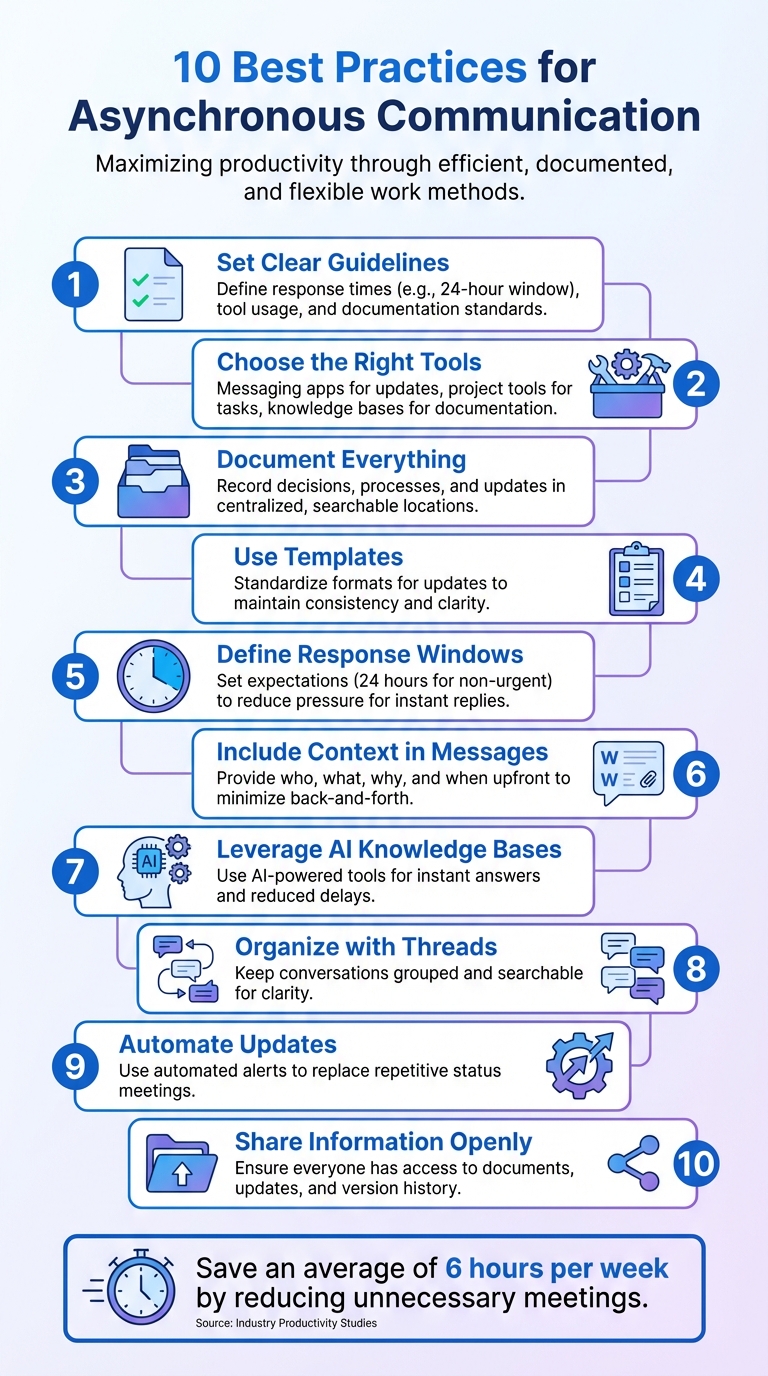
Asynchronous communication helps teams reduce unnecessary meetings, work across time zones, and focus on deep work. Here’s how to make it work for your team:
- Set Clear Guidelines: Define response times, tool usage, and documentation standards to avoid confusion.
- Choose the Right Tools: Use messaging apps for quick updates, project tools for task tracking, and knowledge bases for documentation.
- Document Everything: Record decisions, processes, and updates in a centralized, searchable location.
- Use Templates: Create standardized formats for updates to keep communication consistent and easy to follow.
- Define Response Windows: Set response time expectations (e.g., 24 hours for non-urgent messages) to reduce pressure for instant replies.
- Include Context in Messages: Provide all necessary details upfront to minimize back-and-forth communication.
- Leverage AI Knowledge Bases: Use tools like AI-powered repositories to provide instant answers and reduce delays.
- Organize with Threads: Keep conversations grouped and searchable to maintain clarity and transparency.
- Automate Updates: Use automated alerts and notifications to replace repetitive status meetings.
- Share Information Openly: Ensure everyone has access to documents, updates, and version history for better collaboration.
These steps help teams communicate effectively without constant interruptions, saving time and improving focus. Start small - replace one recurring meeting with an asynchronous update and build from there.
10 Best Practices for Asynchronous Communication in Remote Teams
What Are Best Practices For Asynchronous Team Communication?
1. Set Clear Guidelines and Expectations
Asynchronous communication can quickly spiral into chaos without clear rules in place. Uncertainty about response times, appropriate tools, and the level of detail needed in messages can lead to frustration and inefficiency. The answer? A Working Agreement that outlines your team's communication norms.
Start by setting response time expectations. For example, Doist - a remote-first company with an impressive employee retention rate of over 90% - uses a 24-hour response window for its global team. This approach reduces the pressure of constant notifications, allowing team members to focus on work by batching their communication into 1–3 dedicated blocks of time each day. Similarly, Atlassian incorporates response guidelines into its Working Agreements to streamline collaboration across time zones.
Next, define which tools are used for specific purposes. For instance:
- Use instant messaging for quick, informal updates.
- Rely on project management tools for tracking tasks and progress.
- Reserve email for external communication.
Additionally, create a clear emergency protocol for urgent situations. This might involve using a specific messaging app or making a phone call so that other channels remain focused on non-urgent matters.
Documentation standards are equally important. Messages should include all the necessary context - such as screenshots, data, deadlines, and clear requests - to avoid endless back-and-forth clarifications. As Doist emphasizes:
Teams who try to go remote without putting in place tools, workflows, and norms for asynchronous communication will fail.
Finally, ensure accountability by assigning a Directly Responsible Individual (DRI) to each project or decision. This decentralized approach helps clarify who is in charge and keeps tasks moving forward.
2. Pick the Right Tools for Each Task
Not all communication tools are created equal, and using the wrong one can cause unnecessary friction. Imagine sending a detailed project outline over Slack - it’s likely to spark rushed replies that miss key points. Or think about burying critical documentation in an email thread - it essentially locks away valuable information from the team. The result? Lost time, confusion, and a frustrated team.
The key is to match your message to the right platform. Amira Hankin, Senior Product Designer at Stamen, emphasizes this point:
Assess the needs of your company in order to better choose the tools that support your larger goals.
For quick, informal updates - like letting your team know you’re stepping away for lunch - messaging apps like Slack or Microsoft Teams are ideal. For managing tasks and tracking progress, project management tools like Asana or Trello are more effective. And when it comes to storing and sharing important, searchable documentation, knowledge bases or shared workspaces are the way to go. Misusing these tools not only wastes time but also overwhelms team members when the wrong channels are overloaded.
Consider this: knowledge workers spend an average of six hours a day on email, while the typical Slack user sends around 200 messages daily. When tools are misused - like treating email as a live chat or expecting immediate Slack replies for strategic decisions - it can lead to what experts call "collaborative overload".
Choosing the right tool isn’t just about convenience; it’s about aligning the nature of the task with the communication method. For example, high-focus tasks like coding or strategic planning demand uninterrupted time and benefit from long-form, asynchronous communication that avoids constant interruptions. On the other hand, emotionally sensitive discussions or delivering critical feedback are best suited for video calls, where tone and body language provide much-needed context. For teams working across different time zones, tools that support "nonlinear workdays" are crucial, ensuring that everyone can access information regardless of when they’re online.
3. Document Everything Important
When key decisions and processes aren't written down, work grinds to a halt. If crucial information is locked in someone's memory or buried deep in a chat thread, team members are left waiting for answers. This is especially problematic for teams spread across different time zones. The solution? Commit to thorough documentation - not just the outcomes, but the reasoning behind them.
Capture decision records that explain the trade-offs and resolutions, meeting notes with clear action items and deadlines, process guides for repetitive tasks, and a "How We Communicate" guide that outlines response expectations and tool usage. Take GitLab, for example: they operate under the principle that if a decision isn't documented, it essentially never happened. This philosophy has resulted in a company manual that would span over 2,000 pages if printed. With this resource, their 700+ remote employees can find answers without unnecessary delays. Considering that research shows 72% of meetings are ineffective, detailed documentation becomes even more valuable - especially for those who couldn't attend. As Preston W. puts it, documenting thoroughly ensures seamless transitions between project owners.
Where you store this information is just as important as writing it down. Wade Foster, CEO of Zapier, emphasizes "rigorous clarification" in written communication to avoid misunderstandings. He also ensures that all documentation is stored in a centralized, searchable repository - a single source of truth that the entire team knows to rely on.
Making documentation a habit reduces confusion and keeps productivity flowing.
4. Create Templates for Regular Updates
Once you've established clear guidelines and documentation practices, the next step is to create standardized templates. These templates ensure consistency and make updates easier to follow. Without them, status reports can feel like a scavenger hunt, forcing readers to dig for essential details. A well-structured template provides a predictable format, making it simple to scan, compare, and act on information.
For example, in June 2024, Atlassian introduced a "Weekly Team Update" play using two standardized templates: the "Week-Ahead" and "Weekly Wrap." The "Week-Ahead" template prompts employees to outline three priorities, explain their importance, and specify any help needed to overcome roadblocks. This approach helped over 1,000 employees reclaim a combined 5,000 hours of focused work in just two weeks. Additionally, video updates based on these templates significantly boosted manager-employee connection - 38% of employees who received video updates felt more connected to their managers, compared to only 9% of those who received written Slack updates.
When designing templates, include core sections like "Top Priorities", "Impact", "Blockers", and "Decisions Needed." This structure ensures stakeholders can quickly find the information they need without additional follow-up questions. For more detailed updates, teams can choose between written summaries or short 3–5 minute video recordings. To keep things manageable, limit updates to three priorities and include clear deadlines with time zones (e.g., "by 4:00 PM EST on Tuesday, September 24"). Assign Directly Responsible Individuals (DRIs) to clarify ownership of tasks. Also, embed links to relevant resources directly in the template, so readers don’t waste time searching for background information.
Shifting to asynchronous updates can also save significant time. Studies show 51% of employees attend meetings they don’t need to be in, and using asynchronous updates can free up an average of six hours per week. When templates are stored in tools like Notion or Confluence, they create a searchable record of decisions and updates, reducing the need for repetitive "What did we decide again?" conversations. This ties back to the importance of solid documentation, cutting down on unnecessary meetings and fostering a more efficient, focused work environment.
5. Define Response Time Windows
Once you've established update templates, the next step is to set clear response time windows. Without defined boundaries, there's often an unspoken expectation for instant replies, which can disrupt focus and productivity. A 2015 study revealed that the most common email response time was just 2 minutes. This shows how asynchronous tools are often treated like real-time chat, leading to interruptions that make deep, focused work nearly impossible.
By implementing specific response windows, you can ease the pressure of constant connectivity. Many companies stick to a 24-hour window for non-urgent messages. This gives team members the breathing room to block out uninterrupted time for tasks that require intense focus, like coding or strategic planning.
Not all messages are created equal, and different types of communication benefit from tailored response times. For example:
- Use instant messaging tools (like Slack or Teams) for same-day replies, typically within 1–4 hours.
- Reserve emails or project management platforms for inquiries that can wait 12–24 hours.
- For emergencies, establish a dedicated "red alert" channel - whether by phone or chat - that overrides standard response windows.
These distinctions help ensure each tool is used for its intended purpose, avoiding unnecessary disruptions.
To make this approach stick, document these expectations in a "How We Communicate" guide. Encourage batching communication into 1–3 daily blocks to reduce constant context switching. As Jaime Netzer from Atlassian puts it:
Set an agreement with your team about message response time, so you can ensure you're meeting team expectations – and then more fully enjoy your time away from your work.
sbb-itb-a0a3b44
6. Include Context and Background in Messages
One of the biggest challenges with asynchronous communication is starting a message with nothing more than a vague greeting. Hailley Griffis, Head of Communications & Content at Buffer, describes this as a "hello message dangling in time and space". When your team is spread across different time zones, such messages can cause unnecessary delays, as the actual conversation doesn’t begin until much later.
Always provide complete context - who, what, why, and when - before hitting send. For example, instead of writing a generic request, be specific: "Please provide a 2-paragraph report on blog metrics from Google Analytics by next Tuesday at 2:00 PM EST. Include details on top-performing posts and bounce rates." This level of clarity eliminates the need for follow-up questions and allows your recipient to take immediate action. If words alone don’t suffice, consider adding visuals.
Visual aids can make your points clearer. Tools like screenshots, screen recordings, or annotated images are invaluable when text falls short. Apps like Loom and CloudApp are particularly useful for creating quick demos or walkthroughs. Just don’t forget to check that any linked files have the correct sharing permissions before you send them.
Rousseau Kazi, CEO of Threads, emphasizes this point:
Writing detailed messages refines your thoughts, provides full context, and minimizes follow-up meetings.
Spending a few extra minutes to add details upfront can save days of back-and-forth exchanges. By writing with full context, you’re not just communicating - you’re helping your team stay aligned and avoid repetitive conversations.
7. Use AI-Powered Knowledge Bases like UnSoloMind
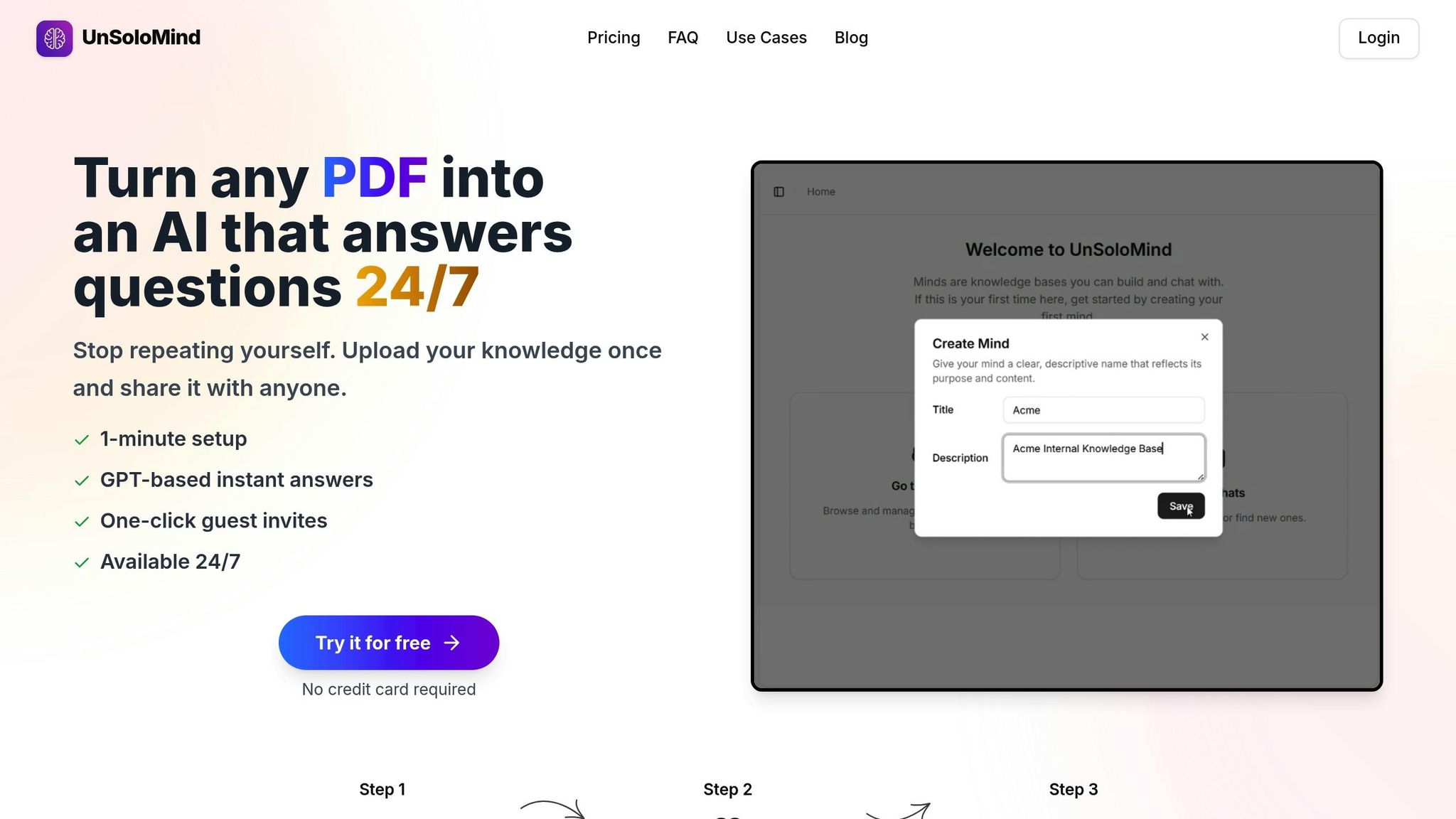
Dealing with time zone differences can make even simple tasks frustratingly slow. AI-powered knowledge bases solve this issue by delivering instant access to information. Platforms like UnSoloMind allow you to upload documents, notes, and FAQs into a searchable repository that your team can access through an AI chat interface. No more waiting for answers - just instant solutions that keep your workflow moving smoothly.
This approach can significantly boost productivity. Did you know that knowledge workers often spend 40% of their day switching between communication tools and actual work? That leaves just 1 hour and 12 minutes of uninterrupted focus during an 8-hour workday. By centralizing information and answering common questions instantly, you can cut down on status-check meetings and those endless "Did you see this?" messages. Clear and accessible documentation ensures that everyone has what they need, right when they need it. As the Workplaceless Team puts it:
Accessible and transparent information means that you don't have to rely on other people's time to get the information you need and vice versa.
Be proactive with documentation. Upload key resources like employee handbooks, training guides, troubleshooting manuals, and project decisions to your knowledge base. Don’t just stop at the outcomes - include the reasoning behind decisions to minimize follow-up questions later. For instance, a healthcare study found that switching to asynchronous methods shaved 20.1 minutes off task completion times, saving 58.8% of the time compared to traditional synchronous methods.
Encourage your team to consult the knowledge base before sending direct messages. This "pull-based" approach reduces the constant ping of notifications and lets everyone work at their own rhythm. With information always searchable and accessible, your team can make informed decisions independently - no waiting for colleagues in other time zones to respond.
8. Keep Conversations Organized with Threads
Threaded conversations are a game-changer for keeping communication clear and organized. When messages scatter across emails, chats, and direct messages, important details often get lost, and decisions vanish into thin air. Threads tackle this problem by grouping related messages together, creating a searchable record that anyone can refer to later. This structure ensures communication stays on track and decisions remain accessible.
Consider this: knowledge workers spend 80% of their workdays communicating through emails, meetings, and instant messaging. On Slack, the average user sends around 200 messages daily, while heavy users can hit 1,000. Without threads, this flood of unstructured information can overwhelm teams. Rousseau Kazi, CEO of Threads, summed up the issue perfectly:
We tried having discussions in email, but they would become fragmented... we needed an online solution that worked for more complex discussions, where many people could share, contribute, and make decisions in a way that's easily accessible.
Small habits can make threads even more effective. For instance, use emoji reactions like a checkmark or thumbs-up to acknowledge messages instead of replying with one-word responses - this keeps threads clean and easy to follow. When a decision is made, clearly mark it at the end of the thread so anyone revisiting it can quickly see the outcome. Linking relevant threads in status updates is another smart move. It saves time by preventing repetitive explanations and keeps everyone aligned with a single source of truth.
Public threads are another powerful tool. Keeping conversations open and searchable ensures transparency across the team. For example, Doist replaced internal email with threaded discussions, using a public channel called "Doist Heads" to document leadership conversations. This gives every employee access to the decision-making process and fosters a culture of openness.
Threads also support focused work. Instead of constantly checking messages, you can review threads 1-3 times a day, catching up on specific topics in dedicated blocks of time. This reduces context-switching and allows team members, even those in different time zones, to stay in sync without disrupting their workflow.
9. Automate Notifications and Updates
Automating notifications is a smart way to keep everyone in the loop without the hassle of constant manual updates or disruptive check-ins. But the real challenge? Striking the right balance - automating the right updates while avoiding notification overload. When done effectively, automation can replace those endless status meetings and repetitive follow-ups.
A great starting point is automating status updates and project alerts. Instead of holding daily standups, consider using tools like Slack or Twist to send automated prompts. These can nudge team members to share their progress at a specific time. As Jaime Netzer from Atlassian notes:
Status meetings are unnecessary. After all, the purpose of a status meeting is alignment, which doesn't require back-and-forth or collaboration.
You can also connect project management tools like Asana, Smartsheet, or Trello to your communication platform. This way, task completions, deadline changes, or status updates automatically trigger alerts in designated channels. This approach reduces the need for manual follow-ups and helps maintain focus on deep work.
To avoid interruptions during critical work periods, set up "Do Not Disturb" schedules that pause notifications outside of working hours or during focus blocks. Use emoji-based signals to indicate urgency levels: 🔴 for immediate issues, 🔵 for tasks that can wait up to 24 hours, and ⚪ for general updates. For critical situations like server outages, create a separate emergency-only channel so urgent matters don’t get lost in routine updates.
Batching responses is another essential practice. Schedule time to check automated updates just 1–3 times a day. This helps protect focus time, especially since it can take around 30 minutes to refocus after an interruption. Encourage the use of emoji reactions, such as 👀 for "reviewing" or ✅ for "done", to acknowledge updates without generating unnecessary notifications for the whole team.
To take it a step further, integrate tools like Google Drive or GitHub with your communication platform. This ensures that file updates and pull requests automatically appear in relevant project channels, making it easy to access changes without manual announcements. This setup fosters transparency and gives both in-office and remote team members equal access to updates. The ultimate goal is to shift to a "pull-based" model, where team members can access updates when it suits their schedule, rather than being bombarded with real-time notifications.
10. Share Information Openly and Track Changes
Sharing information openly is a cornerstone of effective asynchronous work. When everyone on a team has access to the same documents, discussions, and decisions, it reduces confusion and helps avoid unnecessary mistakes. Equally important is tracking version history. Knowing who made changes, what those changes were, and when they happened not only promotes accountability but also makes it easy to revisit past decisions without disrupting someone else's workflow. Centralized documentation helps break down silos, and open sharing extends that transparency to all levels of communication. For instance, GitLab emphasizes this with its "handbook-first" approach - if something isn’t documented in their central system, they treat it as if it doesn’t exist. Tools like Google Workspace and various project management platforms simplify tracking document or project changes over time.
Preston W. from Remote highlights this idea perfectly:
Transfer ownership of the project to the next person, then start working on something else.
When remote and in-office workers have equal access to information, it levels the playing field, ensuring no one feels excluded or left out of key updates. This inclusivity builds trust across different locations and time zones.
Before sharing any document or link, double-check access permissions. Waiting on access requests can waste hours, so it’s better to grant viewing or editing rights to everyone who needs them from the start. If you’re sharing work that’s still in progress, provide context - include screenshots, data points, or background information. This allows teammates to give meaningful feedback without needing to ask for more details.
Whenever possible, use threaded conversations and public channels instead of private messages or email. This approach ensures discussions remain searchable and prevents information from being locked away in silos. Platforms like UnSoloMind can help by centralizing documentation, FAQs, and past decisions into a searchable knowledge base, making it easier for team members to find answers without needing to wait for a response.
Conclusion
Achieving effective asynchronous communication requires clear guidelines, the right tools, and transparent practices that empower teams to work on their own schedules while maintaining strong collaboration. The 10 best practices outlined here - from setting expectations and documenting decisions to leveraging tools like UnSoloMind - offer a practical path for teams aiming to cut down on unnecessary meetings and reclaim valuable focus time.
These strategies are the foundation of a successful async culture. A great starting point? Transition one recurring meeting to an asynchronous format. As Philippe Gratton, CPO and Co-founder of Chrono, puts it:
Async isn't just about skipping meetings. It makes communication work with your team's schedule, not against it.
This simple shift can immediately free up time. From there, refine your team's working agreements to align with evolving communication needs.
Mastering async communication takes time and practice. Provide training, share clear examples of updates, and create a "how we work async" guide to set expectations. The benefits are worth it: teams can save an average of six hours per week by reducing unnecessary meetings, and 61% of employees report enjoying a healthier work-life balance.
Start small, test these practices, and adapt them to your team’s unique workflow. A system that works for a small startup might need adjustments for a larger organization. The key is staying flexible and committed to creating a setup where information flows seamlessly, everyone has equal access to knowledge, and deep work isn’t constantly disrupted by real-time demands. With ongoing refinement, your team can build a dynamic communication system that evolves alongside its needs, transforming scattered interactions into a streamlined, high-performing knowledge-sharing environment.
FAQs
What are the best ways to implement asynchronous communication in a team spread across different time zones?
To make asynchronous communication work effectively in a team spread across time zones, start by setting clear guidelines and expectations. Specify which types of communication should be handled asynchronously - like project updates, decisions, or FAQs - and set response-time expectations. For instance, you might ask for replies within 24 hours for non-urgent matters, while critical tasks could require a response within 4 hours. Adding time-zone indicators or status updates can also help team members quickly understand when others are unavailable.
Equip your team with tools that enable centralized and searchable knowledge sharing. Platforms like UnSoloMind, for example, let teams store documents, notes, and FAQs in a smart knowledge base, making it easy for everyone to find the information they need without interrupting others. Complement this with async-friendly tools like threaded messages, recorded video updates, and annotated screenshots to ensure communication remains clear and detailed.
Lastly, consider scheduling short overlapping working hours where everyone can connect if necessary. A shared calendar displaying local times can help avoid scheduling mishaps. By combining clear communication rules, the right tools, and intentional collaboration windows, your team can stay both connected and efficient, no matter the time zones.
What are the best tools for different asynchronous communication needs?
Choosing the right tools for asynchronous communication really comes down to the type of information you're sharing and the situation at hand. If you're dealing with quick updates or informal chats, threaded chat platforms like Slack are a solid choice. They let team members drop messages, react, and reply at their own pace - no need to flood inboxes.
For more formal or detailed discussions that might require a record, email works best. It offers rich formatting options, supports attachments, and makes it easy to forward messages to people outside your core team. If you're dealing with something that needs visual input - like design feedback or bug fixes - annotated screenshots or screen recordings can be a lifesaver. They clearly show specifics and can be reviewed whenever it's convenient.
When it comes to building and managing a centralized knowledge hub, UnSoloMind stands out. Teams can upload documents, organize content, and use AI-powered chat to quickly find answers. This cuts down on repetitive questions and boosts productivity. Lastly, for project updates and task management, tools with project boards and comment threads are invaluable. They help keep timelines clear and allow everyone to chime in when it works for them.
How can we ensure accountability and track progress without frequent meetings?
To keep accountability intact without relying on constant meetings, start by establishing clear expectations for response times, deliverables, and deadlines. A shared, searchable knowledge base is a great way to document decisions, tasks, and updates. This way, everyone can easily track responsibilities, current progress, and next steps - no need for real-time status updates.
For tracking progress, lightweight tools like Kanban boards or simple status tags (e.g., in progress, review pending, done) can be incredibly effective. Regular asynchronous updates also work well - team members can provide brief written check-ins outlining what they’ve completed, what they’re currently working on, and any challenges they’re facing. These updates are time-stamped and searchable, offering a transparent view of the team’s activities without lengthy discussions.
Adding basic metrics, such as task completion rates or the number of unresolved issues, can help spot trends and maintain accountability. Tools like UnSoloMind’s AI-powered knowledge base simplify this process by centralizing information and providing instant answers, ensuring the team stays efficient and aligned without extra video calls.